
The app both homes can agree on
Two parents, two phones, one record. Two Homes Together keeps the custody schedule, the swaps, the money and each child’s details in the same place — so nothing depends on anyone’s memory of a text message.
iOS 17.0 or later · iPhone and iPad · iOS only, no Android or web version

Two Homes Together
Co-Parenting Made Simple
- Requires
- iOS 17.0+
- Widgets
- 3
- Sign in with
- Sign in with Apple · Google · Email and password
Overview
What it does, and who it is for
Two Homes Together is a native iOS app for two separated parents who share custody. Both parents install it, link their accounts with an invite code, and from then on they share one set of records.
It is built for co-parents — separated, divorced or never married — raising one or more children across two households. It is also built with the people parents hand paperwork to in mind: the four CSV reports exist so a mediator or family-law attorney can be sent something clean instead of a folder of screenshots.
The things it is good at are specific: knowing who has the children when, swapping a day without an argument, splitting and settling child costs, keeping one factual record, coordinating holidays, and keeping medical and school information somewhere both homes can reach it.
22 verified features
Everything the app actually does
Grouped by the five tabs you see in the app. Every feature listed here exists in the shipped version — nothing on this page is planned or in progress.
Schedule
Who has the children, when — agreed once and visible to both homes.
Custody schedule setup
Choose a rotation — week on / week off, 2-2-3, 2-2-5-5, 3-3-4-4, 3-4-4-3, every other weekend, or Friday-to-Friday — then set the start date and which parent begins.
Set it once and the calendar fills itself in, for both parents.
Custody calendar
A month view colored by parent, a countdown to the next transition on the Home tab, and a running “your time / co-parent’s time” percentage.
Answer “when do I have them next?” without opening a spreadsheet.
Swap requests
Ask to swap a day. Your co-parent approves or declines in the app, approved swaps update the calendar for both homes, and every request is kept in a history view.
Change a day without a twenty-message text thread.
Holiday overrides
Name a holiday, give it a date range, assign it to a parent, and it overrides the normal rotation. The other parent is notified.
The important days are settled in advance, in writing.
Shared events calendar
Add events both homes should know about, with an option to sync them to the device calendar.
School plays and appointments stop falling through the gap.


- Holiday overrides: Version 1: odd/even years are not alternated automatically and there is no approval step.
Money
Shared costs and recurring payments, with an approval trail.
Shared expenses with approval
Log an expense with a category, a split percentage and a photo of the receipt. The other parent approves or rejects it, and a rejection requires a reason. Every expense is pending, approved, paid or rejected.
No more disputing a cost months later — it was agreed or it was not.
Categories and default splits
Child support, alimony, medical, education, activities, clothing, daycare and other, with editable default split percentages.
The usual split is applied automatically; override it when something is unusual.
Recurring payments
Payment schedules for things like child support or alimony generate their due payments automatically. Mark one paid with a note, see overdue items highlighted, and open Venmo or Zelle straight from the payment.
Nothing is missed, and nothing has to be remembered.
Receipt photos
Attach a photo from the camera or photo library to any expense and view it full screen.
The proof lives with the expense, not in a camera roll.


Messages
One thread, with an automatic record of what was agreed.
Messaging with an automatic audit trail
One thread per co-parent pair. Messages carry server timestamps and cannot be edited after they are sent. The app also posts system messages automatically when an expense is requested, approved or rejected, and when a payment is marked paid.
The record writes itself, so neither parent has to keep score.
Reports you can email to an attorney
Four CSV reports — custody days, payments (child support, alimony and expenses, with a summary), the incident log and the message log — filtered by date range and shared via the share sheet or emailed directly.
Hand a mediator or attorney a clean export instead of screenshots.
Attorney information
Store your attorney’s name, email, phone and firm, which enables a one-tap “email to attorney” on every report.
Sending the paperwork takes one tap, not twenty minutes.
Private incident log
Record incidents — a late exchange, a no-show, a refused handover, a denied contact, a safety concern. Entries cannot be edited, are visible only to the parent who recorded them, and can be exported.
A factual note written on the day, not reconstructed six months later.


Children
One place for the things both homes need to know about each child.
Children profiles
Add each child with their name and birth date. The Children tab gives every child an Overview, Medical and Behavior view.
Each child gets their own hub instead of one shared pile of notes.
Child documents
Upload photos or PDFs per child — birth certificate, passport, medical, insurance, school, immunisation records and more. Both parents can view, share or delete them, and the other parent is notified.
The insurance card is in both homes, even when the card is not.
Medication tracking
Record medications with dose, frequency, prescriber and dates, then log a dose with one tap. The other parent is notified.
Both homes can see what was given and when, without a phone call.
Behavior and mood log
Log a child’s mood and behavior with notes and a location — home, transition, or elsewhere. Concerning moods notify the other parent.
Patterns around switch days become visible instead of anecdotal.


Home, Tools & Settings
Linking, notifications, notes and the things that sit around the edges.
Co-parent linking
One parent generates an invite code and the other enters it during onboarding or in Settings. Anything created before linking is adopted into the shared record.
Two phones, one set of records, from the moment you connect.
Push notifications and activity feed
Notifications for swaps, expenses, payments, messages, documents, medication and behavior entries, plus an in-app bell with an unread count and a mark-all-read action.
You find out when something changes, not when it goes wrong.
Home-screen widgets
Three widgets: custody, events and payments.
Today’s answer without unlocking into an app.
Notes and lists
Notes you keep private, or share with the other home.
Somewhere to put the things that are not a schedule or an expense.
Reminders
A reminders list, with permission to use the device’s reminders.
Small things get remembered.


How it works
Five steps, then it mostly looks after itself
- 1
Download the app and sign in
Sign in with Apple, with Google, or with an email address and password.
- 2
Link with your co-parent
One parent generates an invite code; the other enters it. Anything you created before linking is adopted into the shared record.
- 3
Add your children and set the rotation
Add each child with their birth date, then choose a custody rotation, a start date, and which parent begins.
- 4
Use the tools as things come up
Request a swap, log an expense for approval, record a payment, upload a document, note a medication or a mood — and the other home is notified.
- 5
Export a report when you need one
Filter a date range and export custody days, payments, the incident log or the message log as CSV, or email it straight to your attorney.
Screenshots
Every screen, as it actually looks
These are the screenshots from the App Store listing, not mock-ups. Scroll sideways to see all ten.
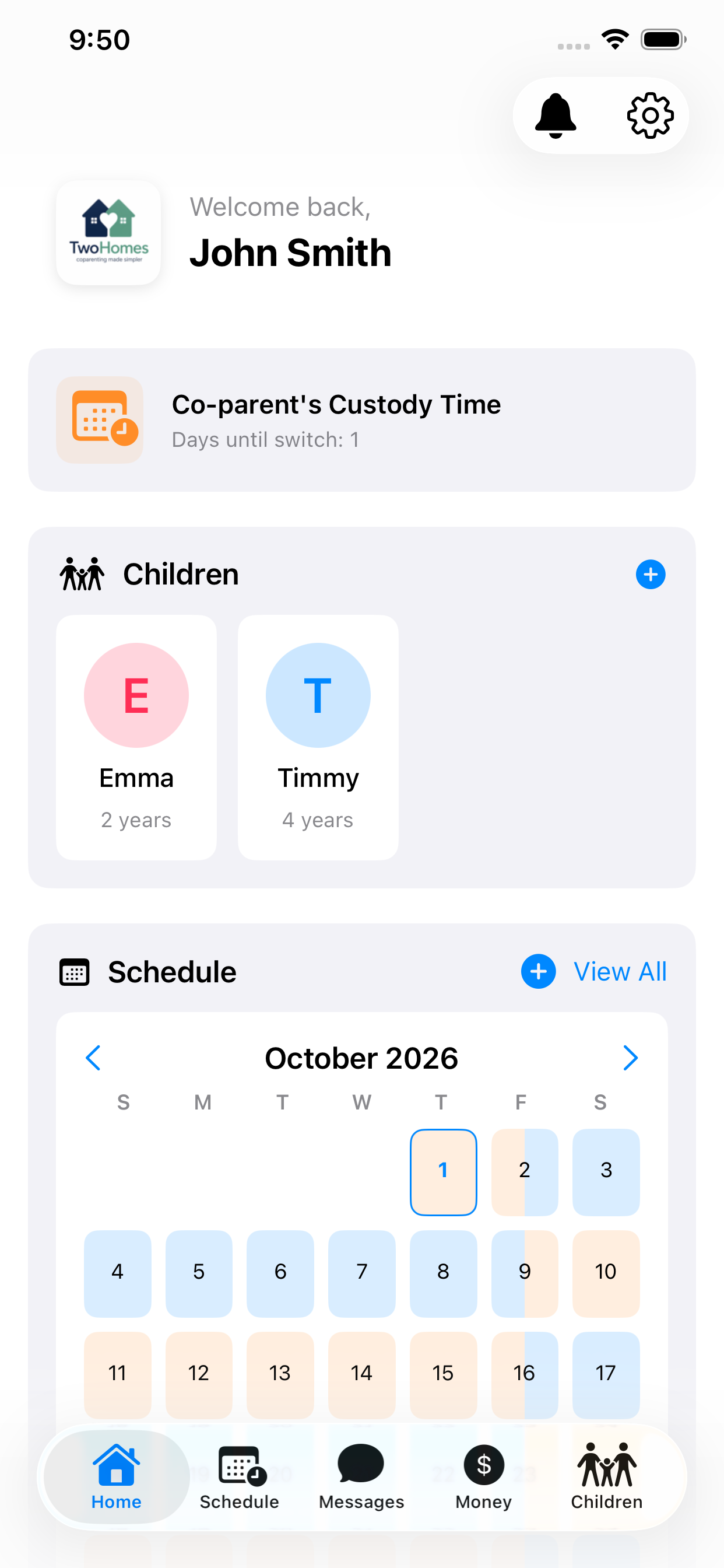
Home
Opens on who has the children, how long until the next switch, and the month at a glance.
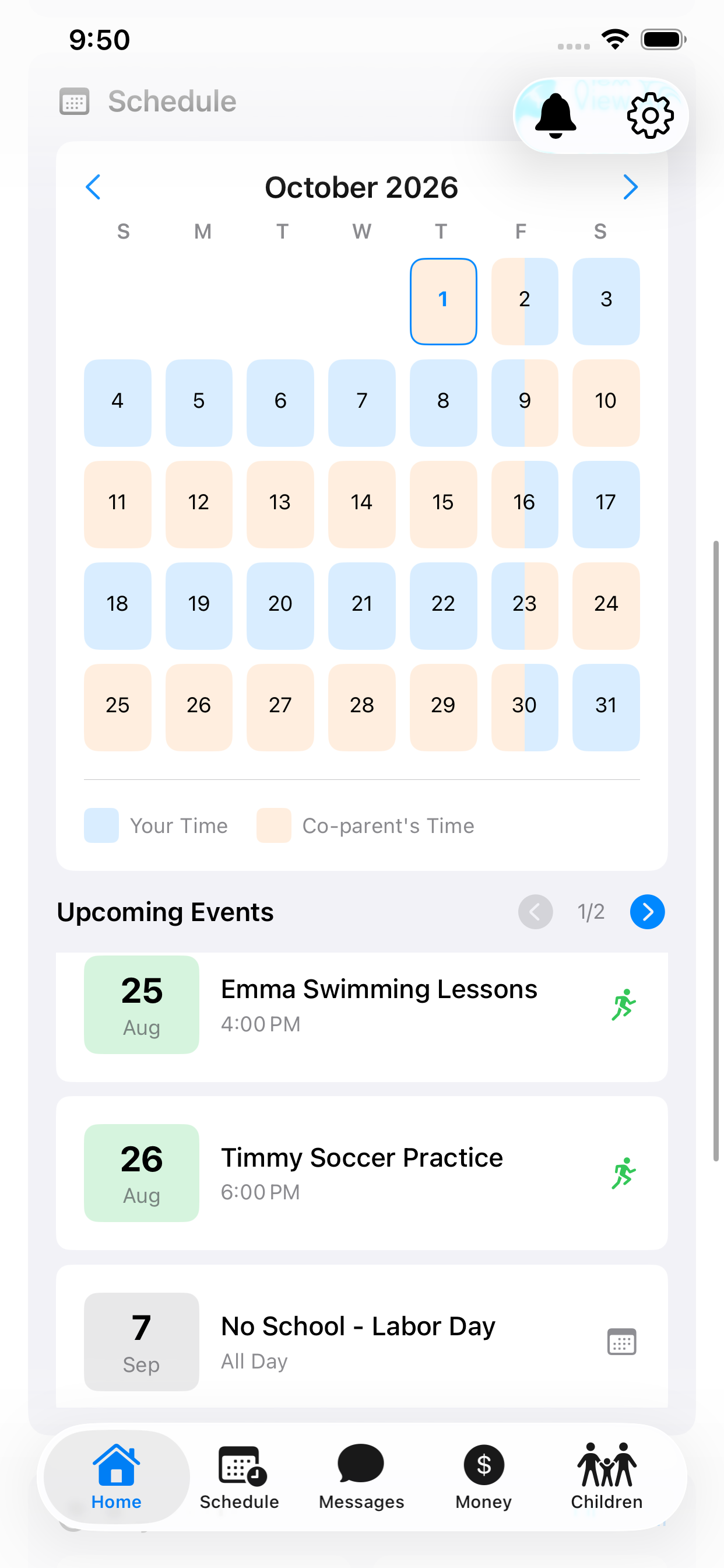
Shared calendar
Each parent’s time is color-coded, with a legend, and upcoming events sit underneath.
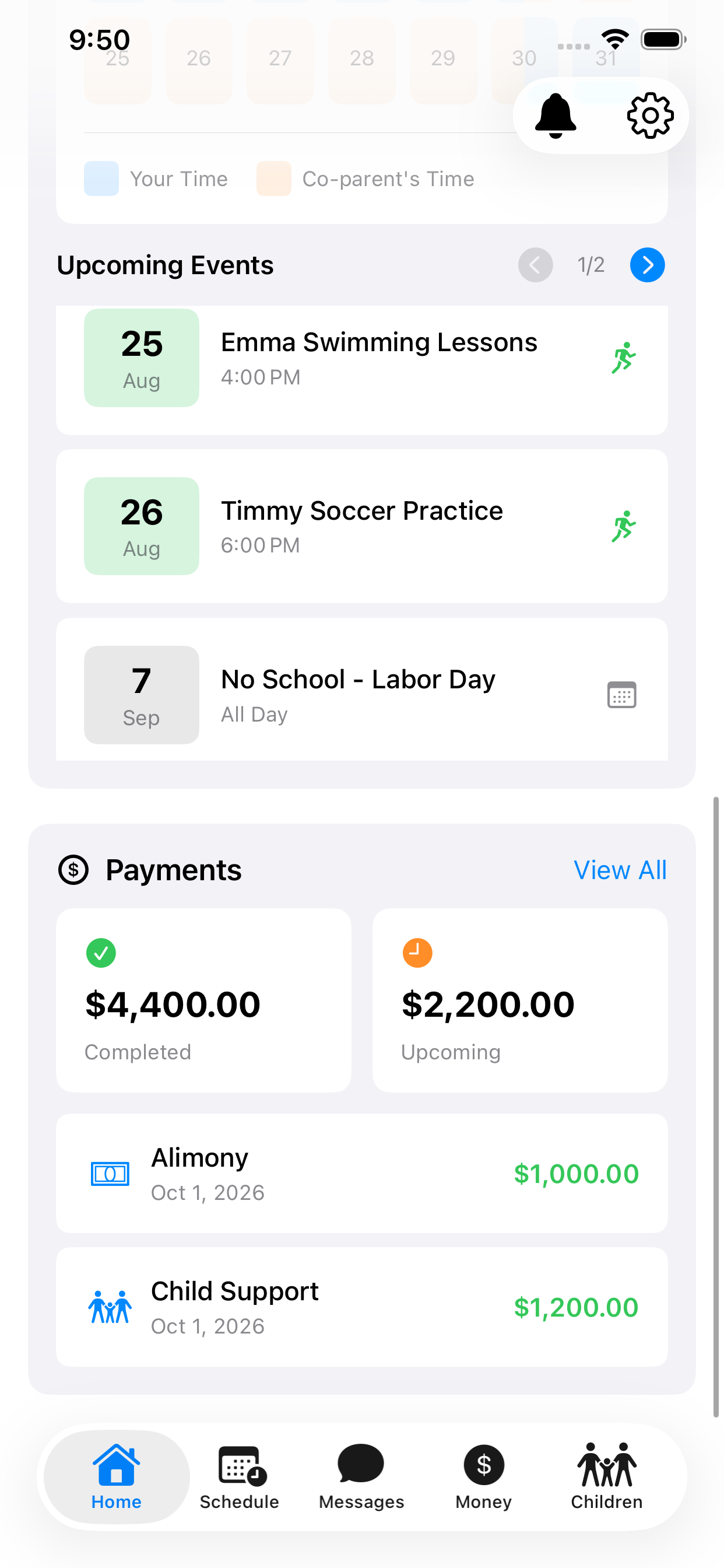
Payments at a glance
Completed and upcoming totals, with recurring payments listed by date.
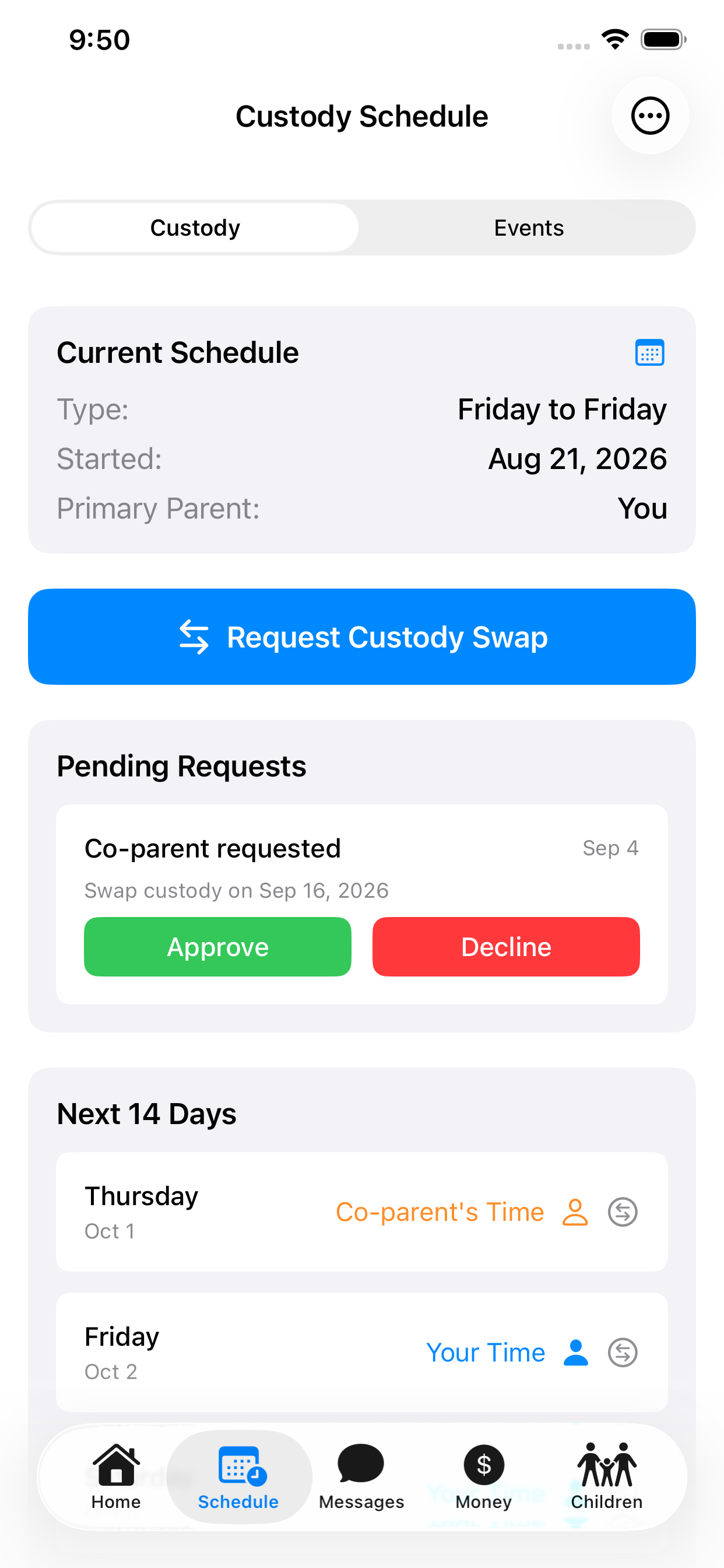
Custody schedule
The current rotation, a swap request waiting to be approved or declined, and the next fourteen days.
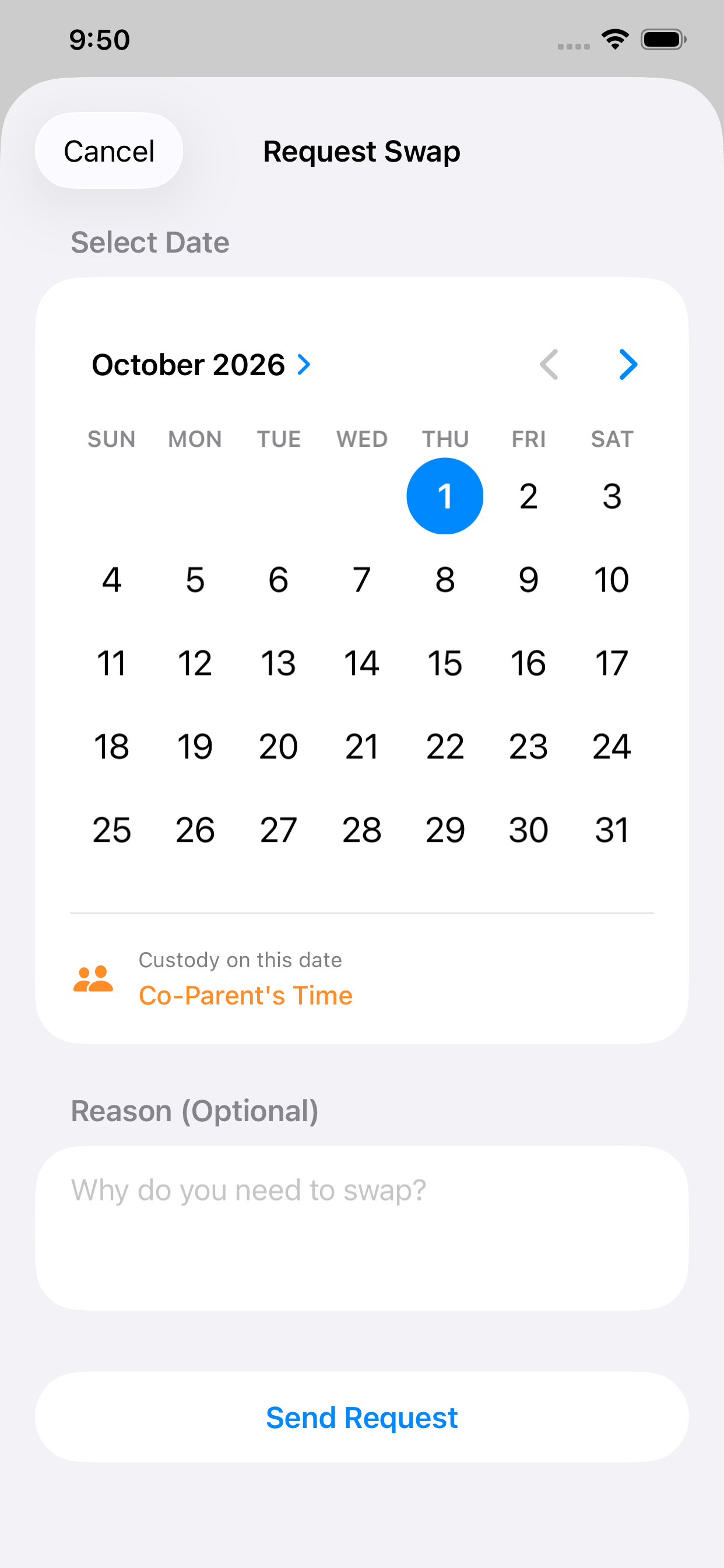
Request a swap
Pick a date, see whose time it currently is, add a reason, and send it for approval.
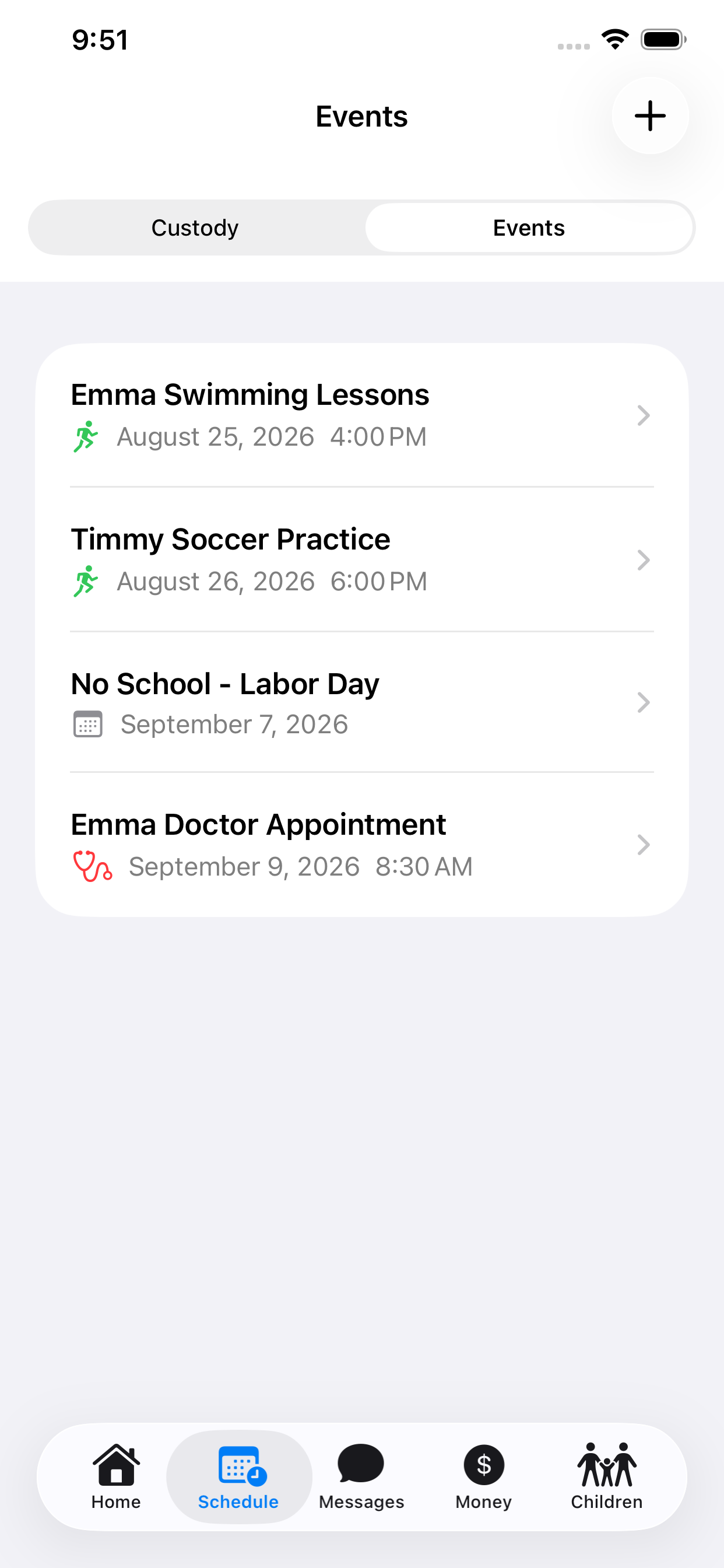
Events
School dates, activities and appointments both homes can see.
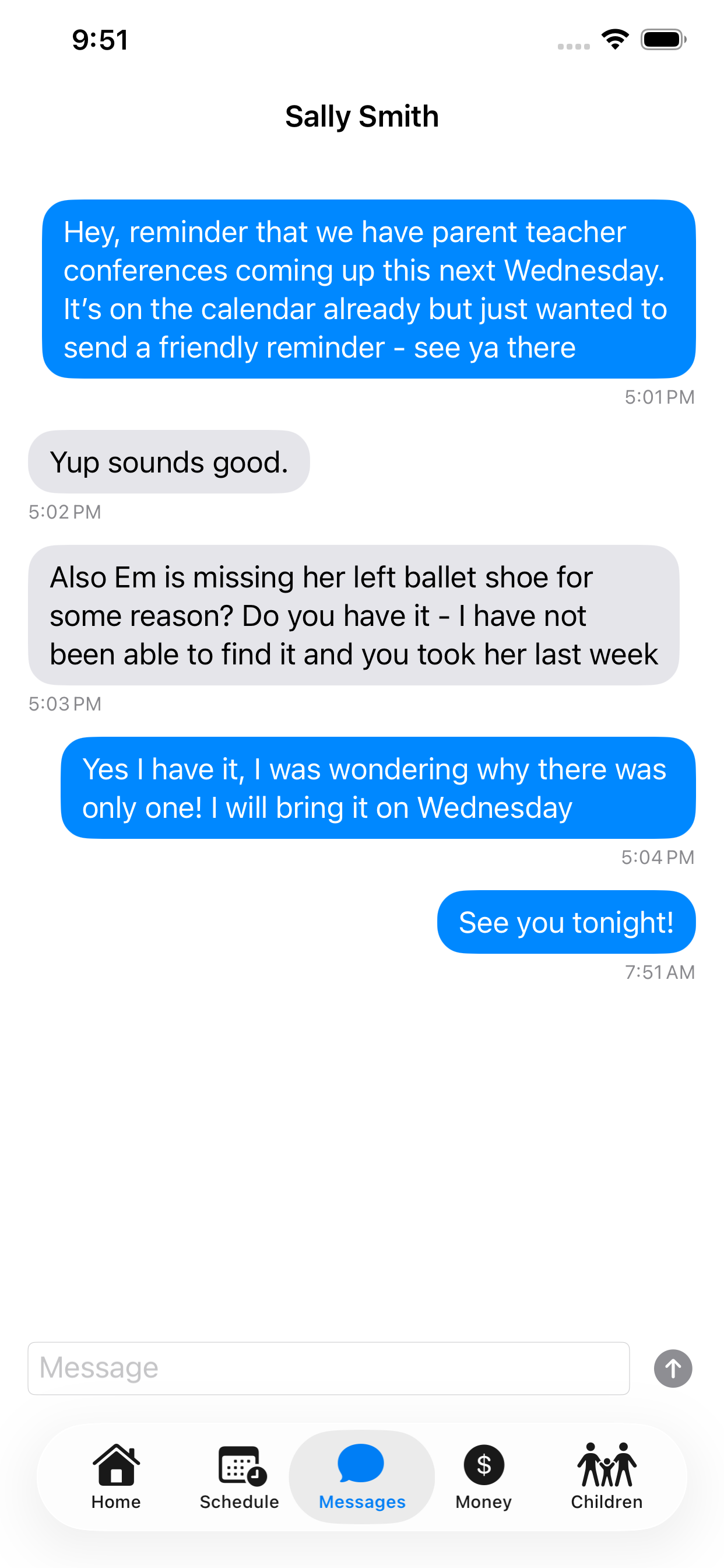
Messages
Co-parent messaging kept inside the app, so the thread is one record instead of scattered texts.
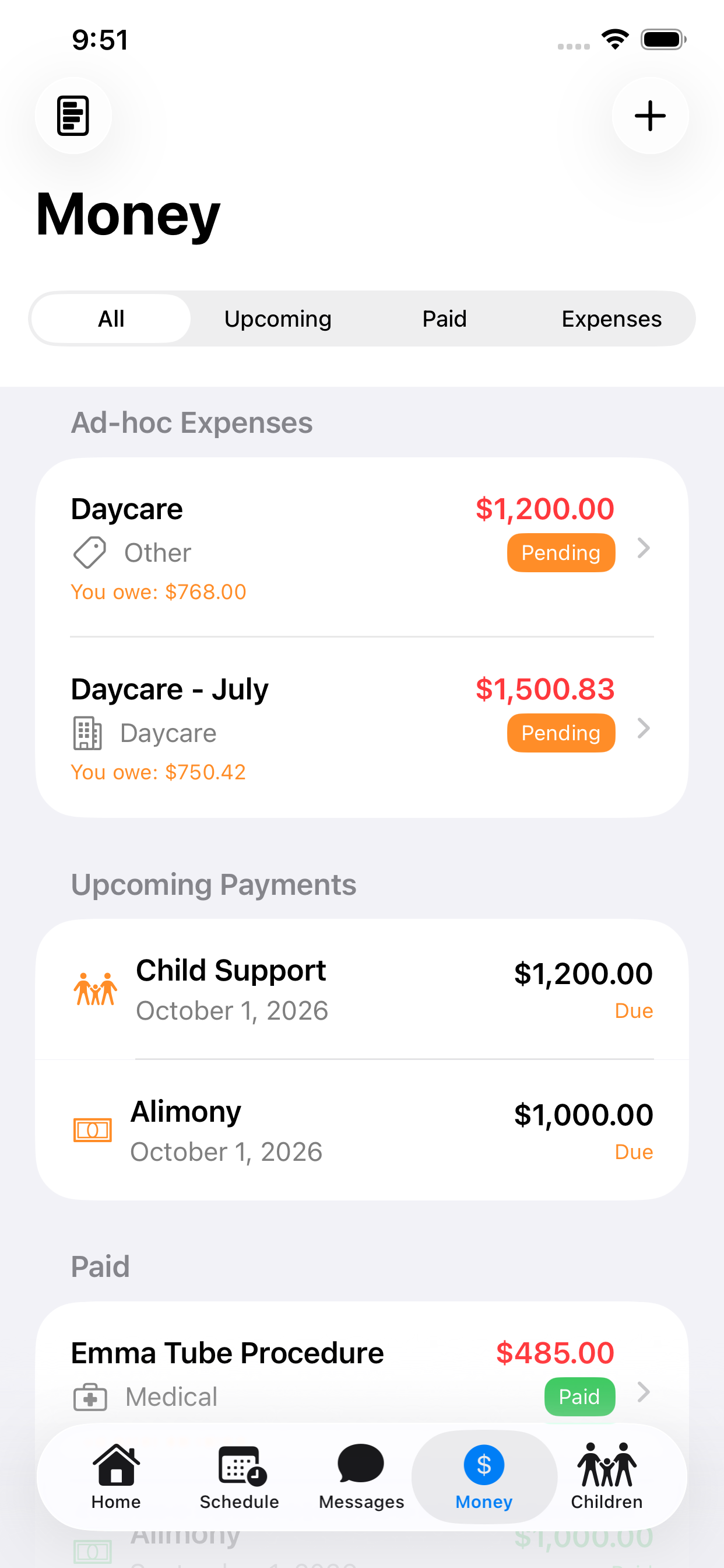
Money
Shared expenses with an amount owed and an approval state, alongside upcoming and paid payments.
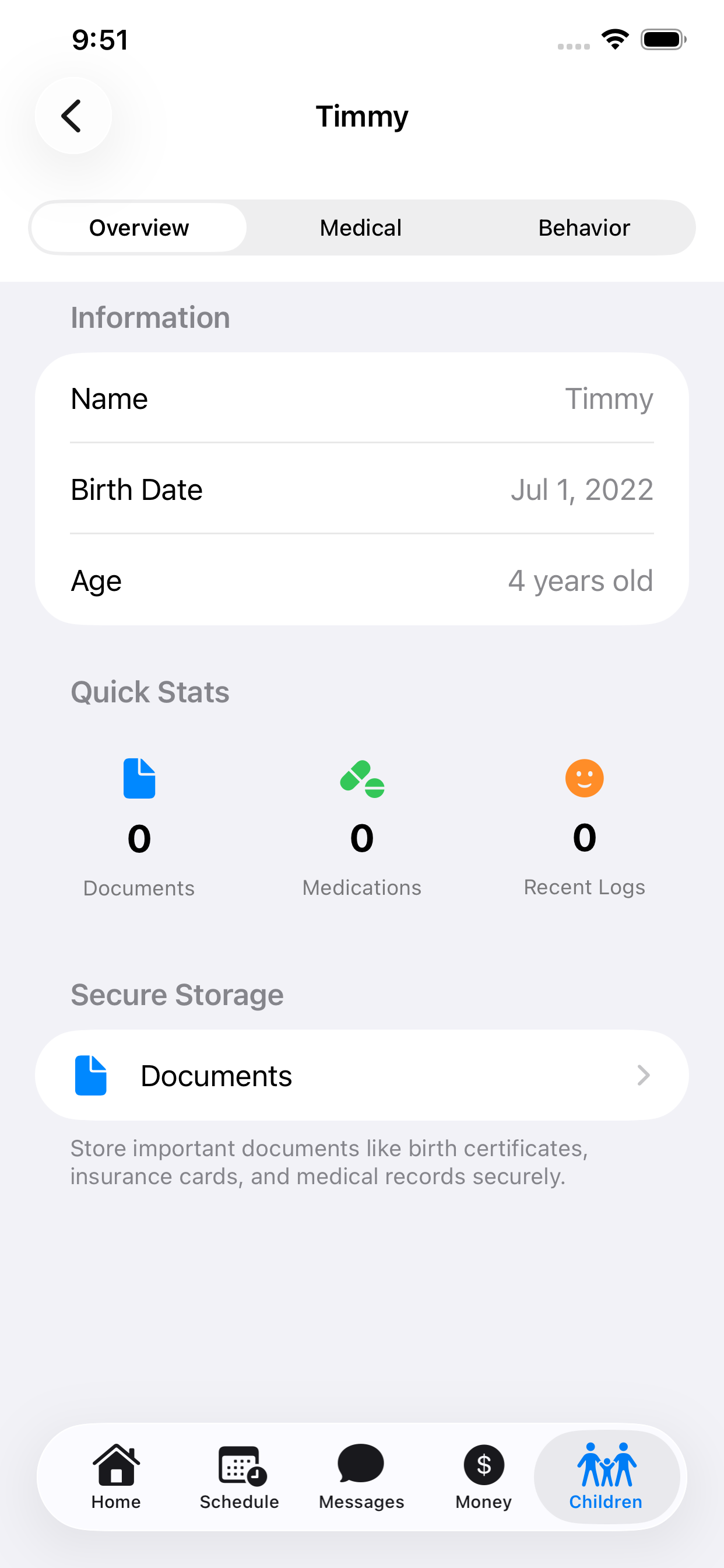
Children
A profile per child with Overview, Medical and Behavior tabs, plus storage for documents.
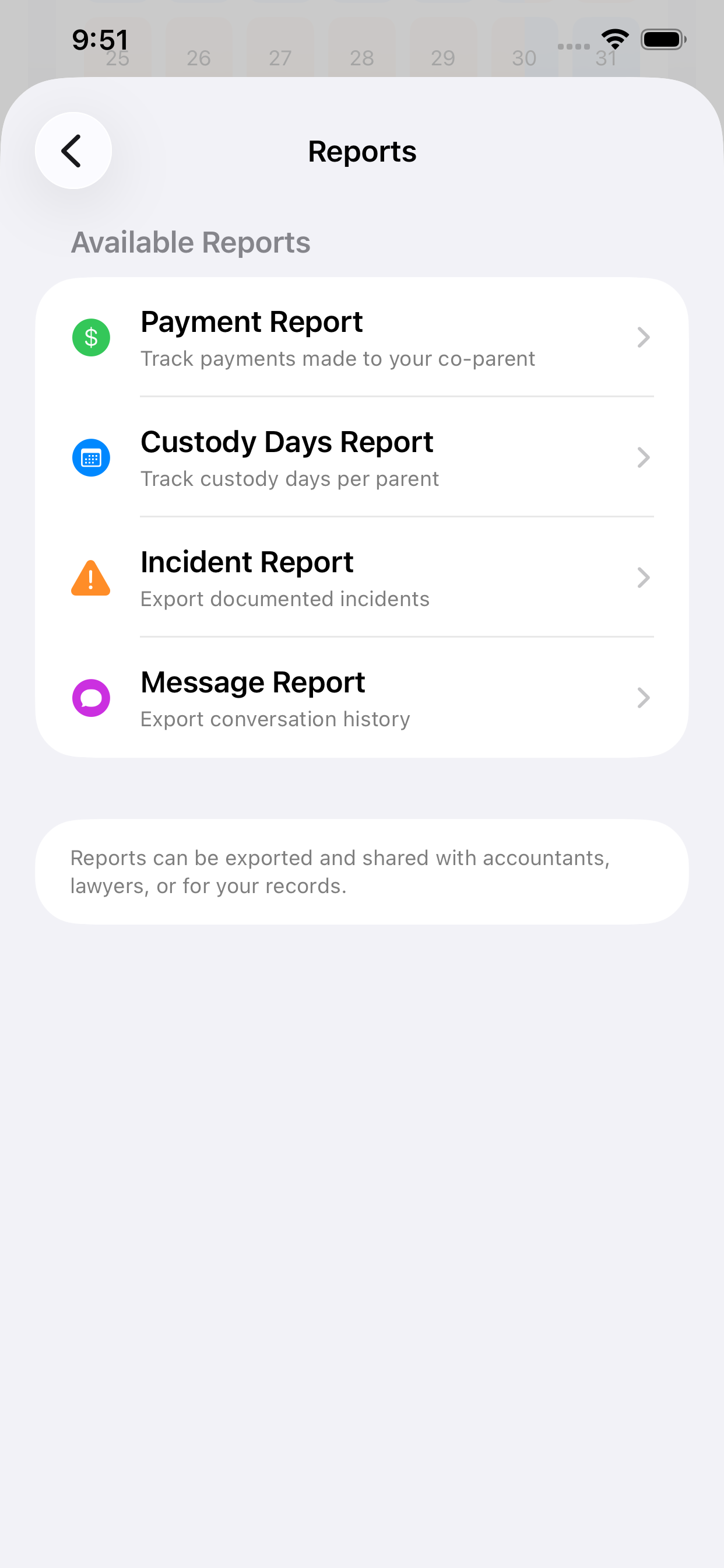
Reports
Payment, custody-days, incident and message reports you can export when someone needs the record.
Captured on iPhone. The names, children and amounts shown are sample data.
Pricing
Free to download. One annual subscription.
There is one paid plan. No lifetime option, no discount tiers, no add-ons.
Per parent, not per family
TwoHomes Premium
$49.99 / year
After a 1-month free trial. Price is set in App Store Connect and may vary by region.
- Custody schedules
- Shared calendar
- Expenses and payments
- Swap requests
- Reports
The app shows how many trial days remain and the date you will be charged, warns you about grace periods and auto-renew being switched off, and offers Restore Purchases.
Questions
Before you download
- Does my co-parent need the app too?
- Yes. The app is built around two linked parents sharing one record. One parent generates an invite code and the other enters it during onboarding or in Settings.
- What can the other parent see?
- The shared records: the custody schedule and swaps, shared events, expenses and payments, the message thread, and each child’s documents, medications and behavior entries. Your incident log is the exception — it is private to the parent who recorded it.
- How much does it cost?
- The app is free to download. TwoHomes Premium is $49.99 per year after a 1-month free trial, and each parent needs their own subscription — it is not family-shareable. Price is set in App Store Connect and may vary by region.
- Can I cancel?
- Yes. Subscriptions are managed through your Apple ID in the App Store, and the app links to Apple’s manage-subscriptions screen from Settings. Restore Purchases is also available if you change device.
- Where is my data stored?
- In Google Firebase. Security rules restrict conversations, messages, children and documents to the two linked parents, and messages and incident log entries cannot be edited after they are created. We do not claim end-to-end encryption, because the app does not implement it.
- Is there an Android or web version?
- No. The app is iOS only — iPhone and iPad, iOS 17 or later. There is no Android app, no web app and no Apple Watch app.
Legal documents for the app
Get both homes on the same page
Download the app, link with your co-parent, and stop reconstructing the schedule from text messages.
Or take a free printable first — no email address needed.